Built by an inspector, for inspectors
Complete NSPIRE Catalog
All 63 standards and 206 deficiencies from the official HUD checklist, with severity and area applicability built in - no flipping through the book.
Live Score Estimates
Scoring aligned with HUD's official NSPIRE Score Calculator - severity values, sample-size table, repeat-defect rules, and the unit auto-fail threshold.
Photos & Signatures
Attach photos to every finding, capture the inspector signature, and generate a clean printable report on the spot.
Team Inspections
Split a property between 2+ inspectors. Everyone documents on their own phone; the lead merges all findings with one tap.
Works Offline
Basements and dead zones are where inspections happen. Everything works without signal - your data lives on your device.
Professional Reports
Printable PDF reports and CSV exports, organized by building, unit, and area - ready for your client or your records.
AI Photo Assist NEW
Add your own AI API key and just take a photo of a deficiency - the app suggests the matching NSPIRE standard, deficiency, and severity. Snap, confirm, done.
See it in action
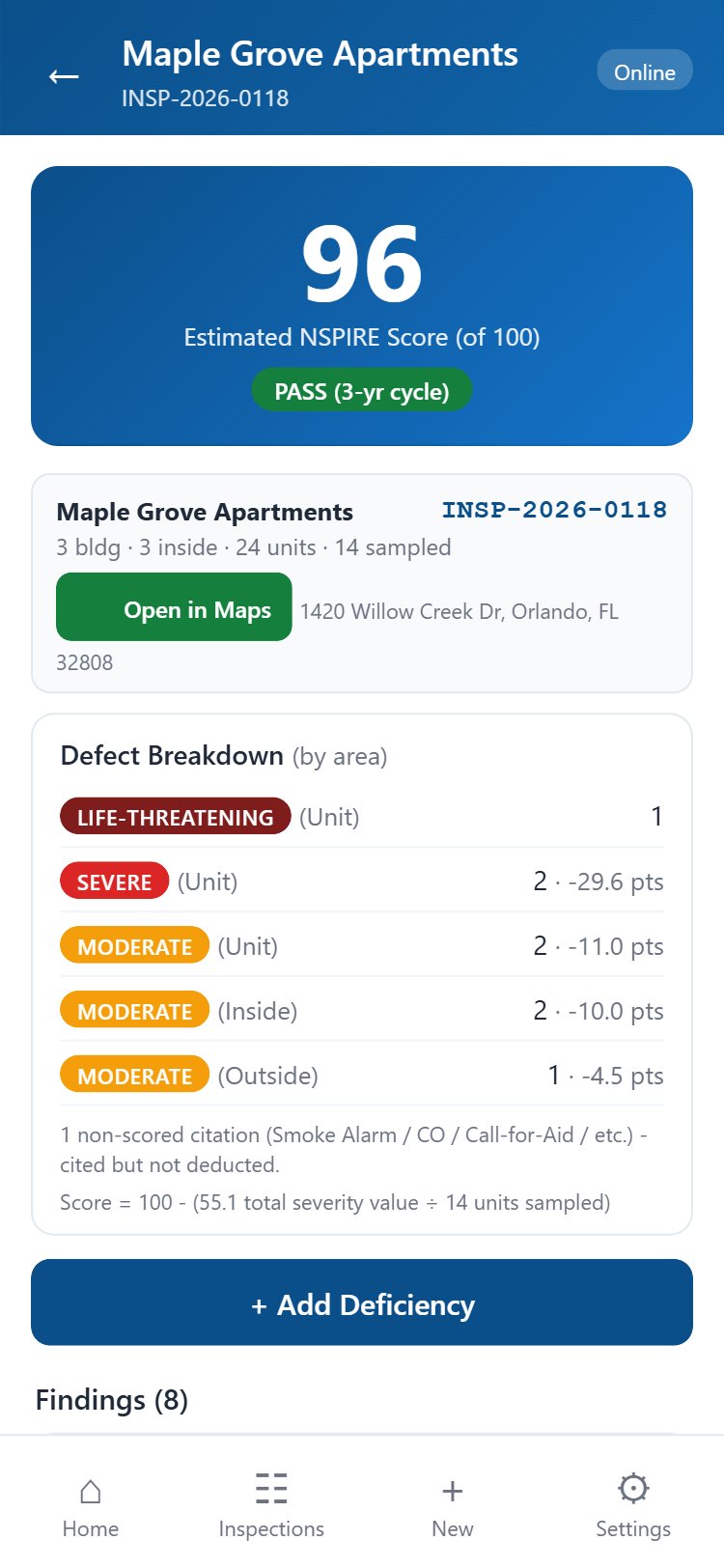
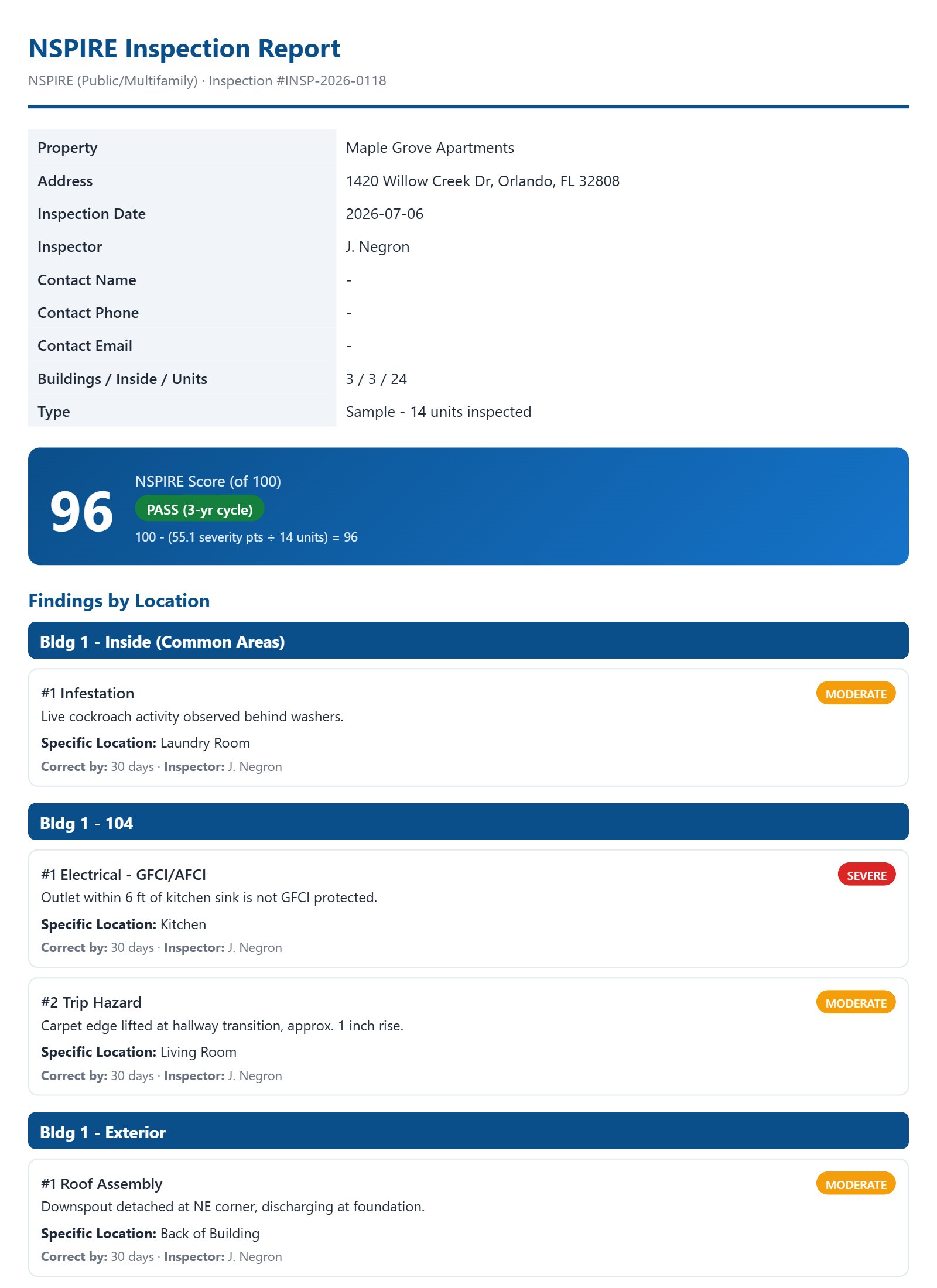
How it works
Simple pricing · 7-day free trial
- Full deficiency catalog & HUD-aligned scoring engine
- Unlimited inspections, reports & team inspections
- AI Photo Assist (with your own AI API key)
- All updates included - HUD changes the rules, the app keeps up
- Email support
Manage the property, not just the inspection
Meet NspirePro Maintenance — a separate app for work orders. Tenants and technicians report issues with a photo, and you assign and track them to done. Connects to your inspections: turn a deficiency into a work order in one tap.
See Maintenance plans →Questions
How does the free trial work?
You get 7 days free when you start. Your plan (monthly $49 or yearly $399) begins only after the trial ends. You can cancel during the free trial at no charge; after that, plans have a 6-month minimum term. Checkout is handled securely by Square.
Is there a contract?
After your free trial, plans have a 6-month minimum term, then continue until cancelled. You can cancel during the 7-day free trial at no charge. The annual plan already covers a full year.
What is AI Photo Assist?
An optional feature: add your own AI provider API key (from Anthropic/Claude) in the app's Settings, and you can snap a photo of a deficiency to get an instant suggestion of the matching NSPIRE standard, deficiency, and severity. It's an aid - you always confirm the finding. Any AI usage is billed by your provider, not us.
Does it work on my phone?
Yes - iPhone and Android, no app store needed. Sign in from your browser and add it to your home screen; it works like a native app, including offline.
Can I use one license on two devices?
A license covers one device at a time. Signing in on a new phone automatically moves your license there (and signs out the old device) - so upgrading phones is painless, but each inspector needs their own account.
What happens to my inspections if I let my subscription lapse?
Nothing. Your data stays on your device, and it's all there when you reactivate.
Is this an official HUD app?
No. NspirePro Inspections is an independent tool for inspectors and is not affiliated with or endorsed by HUD. Scores are field estimates - scoring is computed by NSPIRE Standard calculations.
Is my inspection data uploaded anywhere?
No. There's no server storing your inspections - everything stays on your device unless you choose to share it. See the privacy policy.
Can my whole company use it?
Yes - each inspector gets their own account. Contact us for multi-seat arrangements: administration@reacnspire.com.